
Monitoring & Dashboard
Monitor accelerated transaction performance, tips consumption, and operational metrics in the ZAN console
Dashboard
Log in to the ZAN User Portal → SOL Trading → Overview → Tips View.
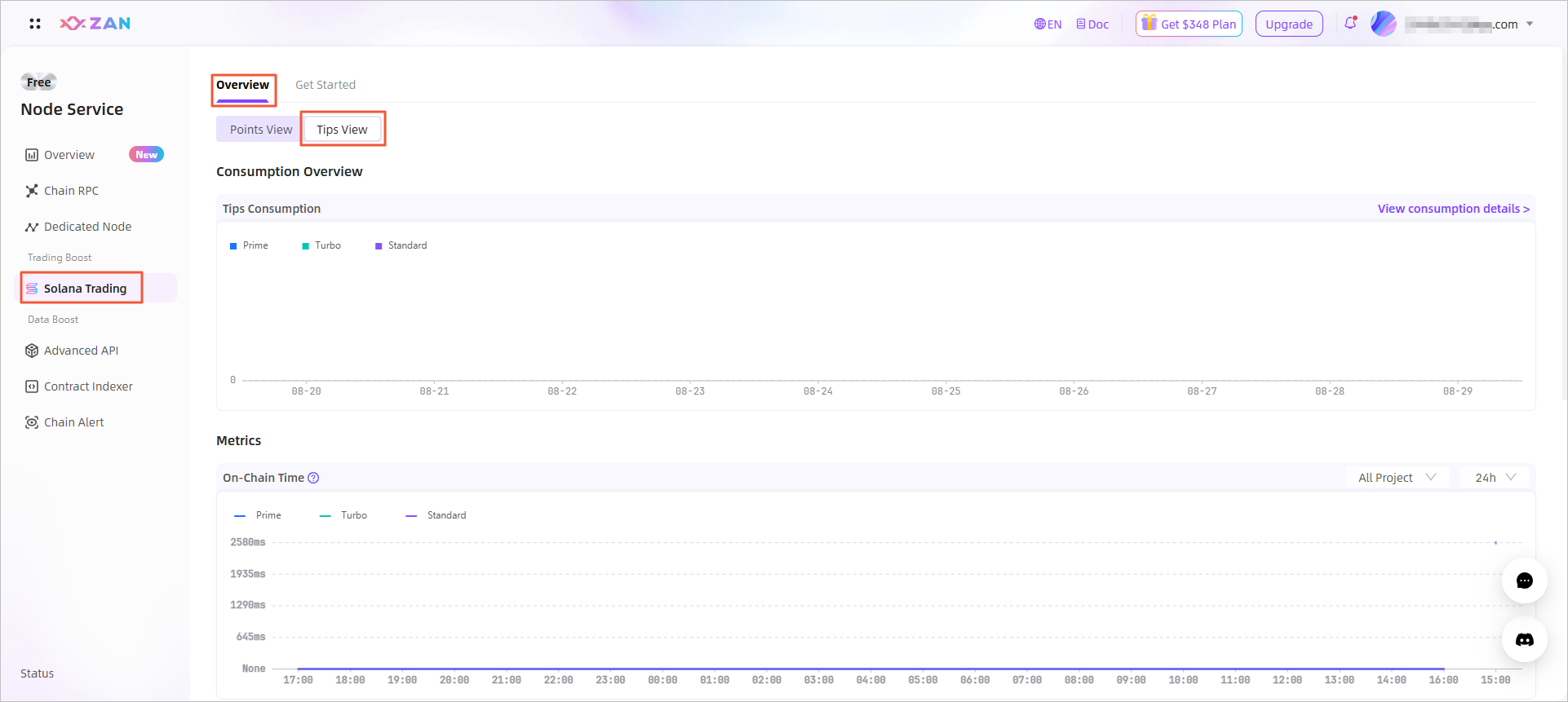
Key Metrics
| Metric | Description |
|---|---|
| Success Rate | Tier-specific confirmation rate |
| On-Chain Time | Submission → On-chain time (excluding the transmission time of client -> ZAN) |
| Remaining Points | Real-time resource availability (available with Points integration only) |
Transaction Verification
-
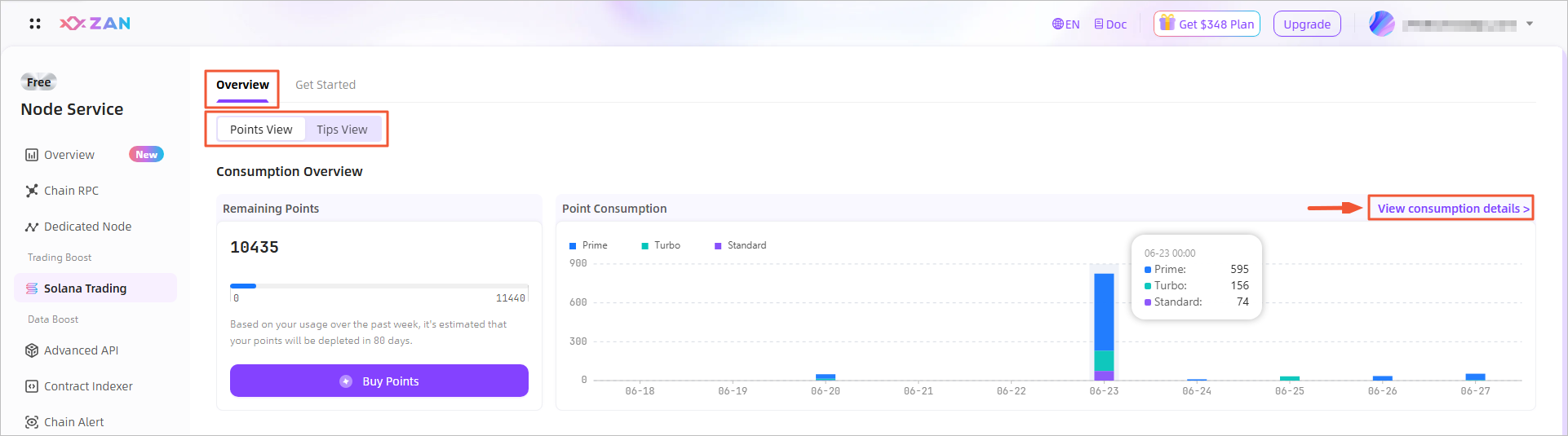
Go to View Consumption Details in SOL Trading Boost module.
-
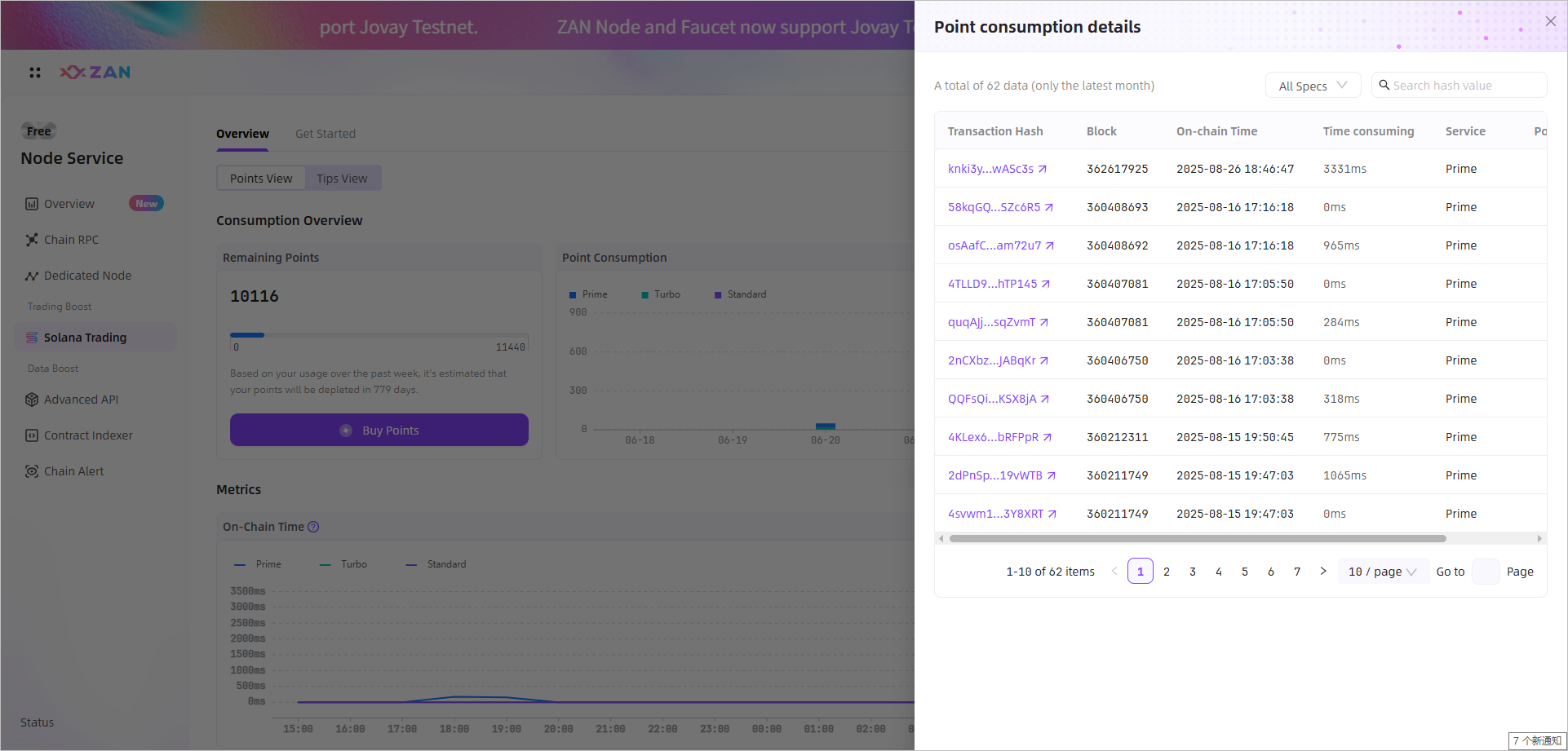
Search by transaction hash.
 Note:
Note:- Absence indicates non-accelerated transaction.
- The page displays transaction records from the last 30 days only.
Export Transaction Records
Note:
- The export functionality enables retrieval of Tips consumption details for the past 6 months.
- Maximum of 5 export operations per day.
-
Go to View Consumption Details under Tips View in the SOL Trading Boost module.
-
Click the Export button in the upper-right corner of the panel.
-
Select the desired time range and confirm by clicking OK to export all Tips transaction records within the period.
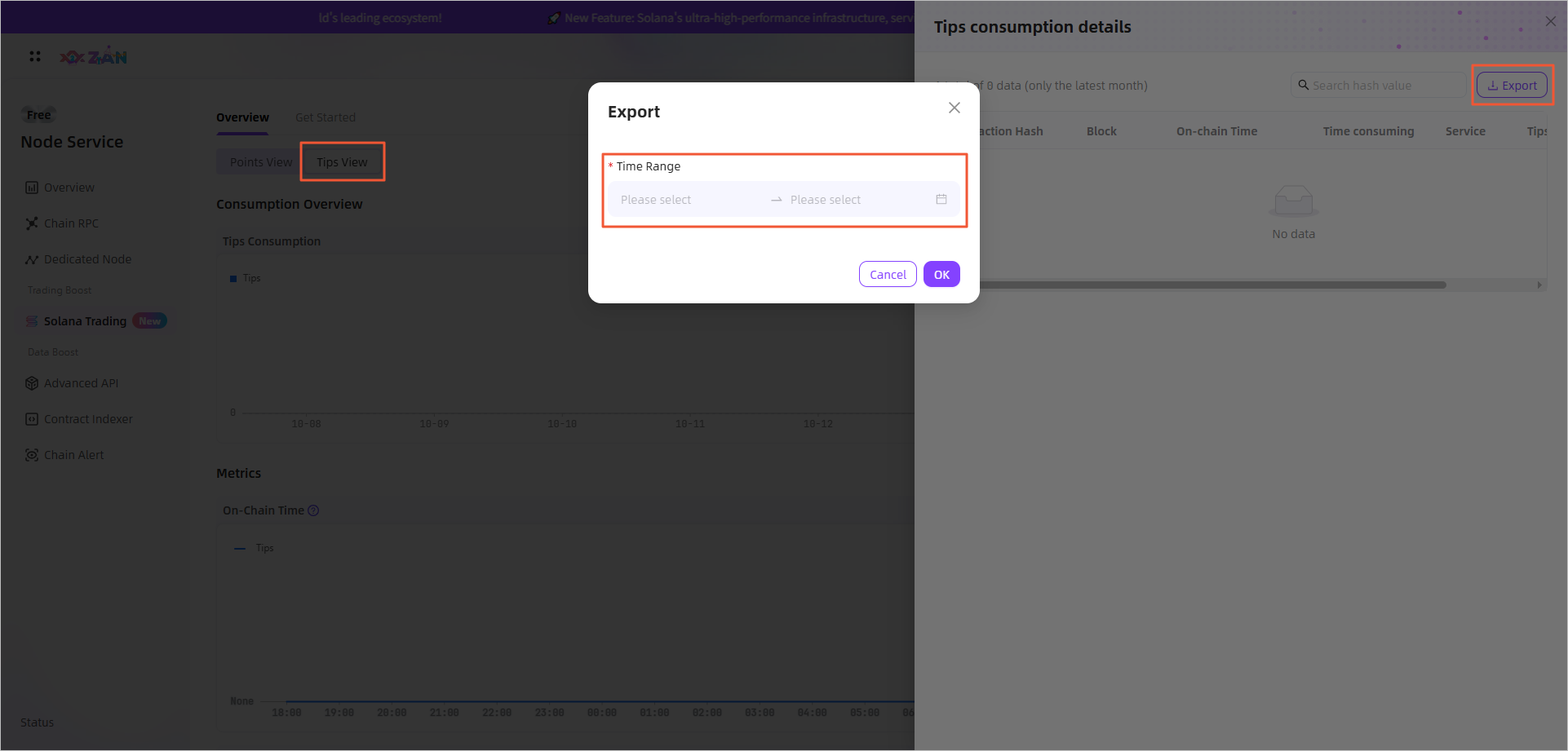
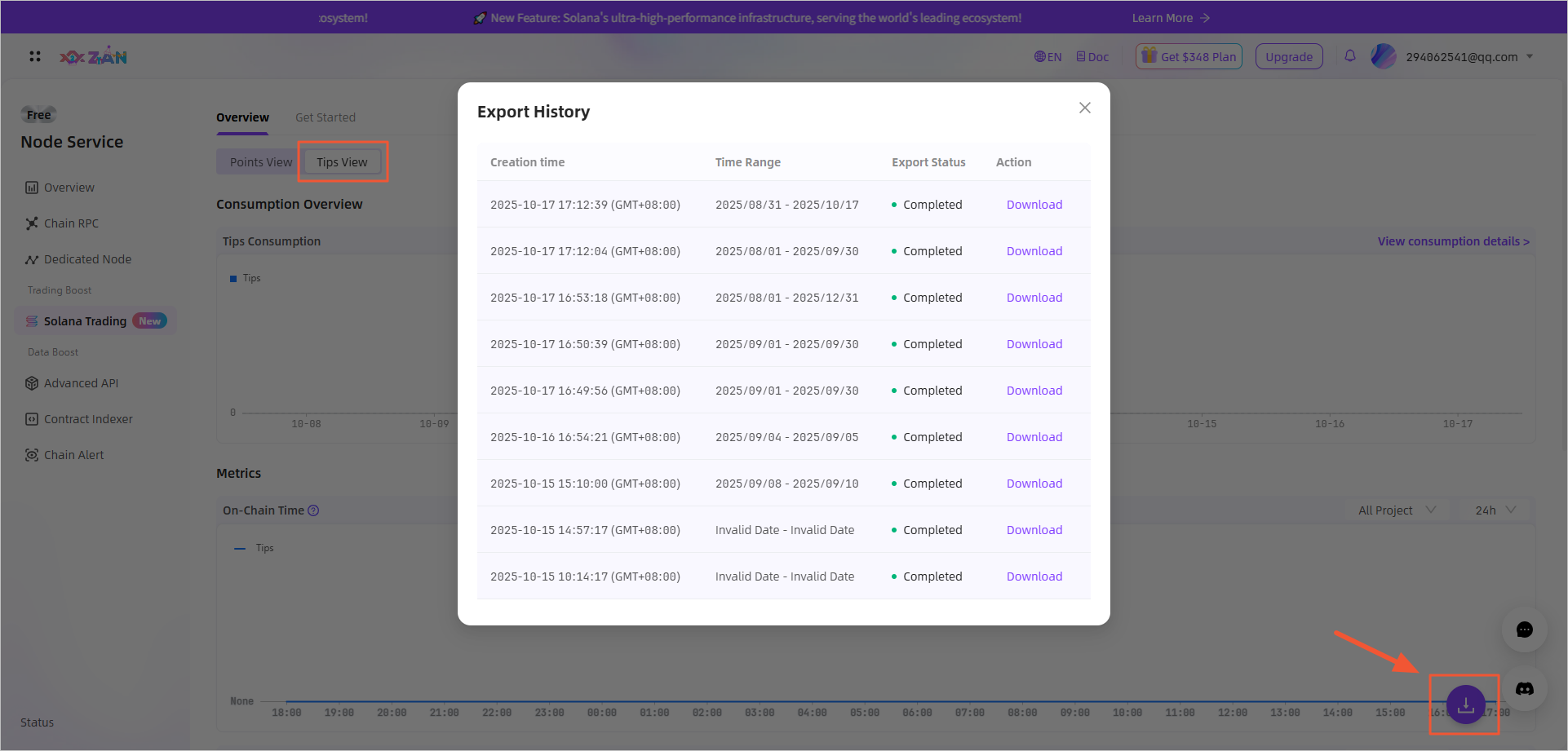
You can access historical export records via the download icon in the lower-right corner.
Updated 6 months ago
Did this page help you?