
Quick Start Guide (Paid)
Designed for individual developers, professional teams, and large-scale enterprise applications.
Purpose
After learning this chapter, you can gain:
- Quick connection to the world of Web3
You can access all supported public blockchains by creating an API key, without additional configurations. - Dual support for HTTPS and WSS
Connections can be established over HTTPS and WebSocket Secure (WSS). This can meet the different requirements of applications.
Prerequisites
- A ZAN account. If you have not registered, see Sign Up and Log In.
- A terminal with
curlinstalled. - Understand price plan quota and basic security configuration, see Plan Specifications.
Step 1: Purchase Plan
For Growth or Pro
-
Log in to the ZAN Node Service Console.
-
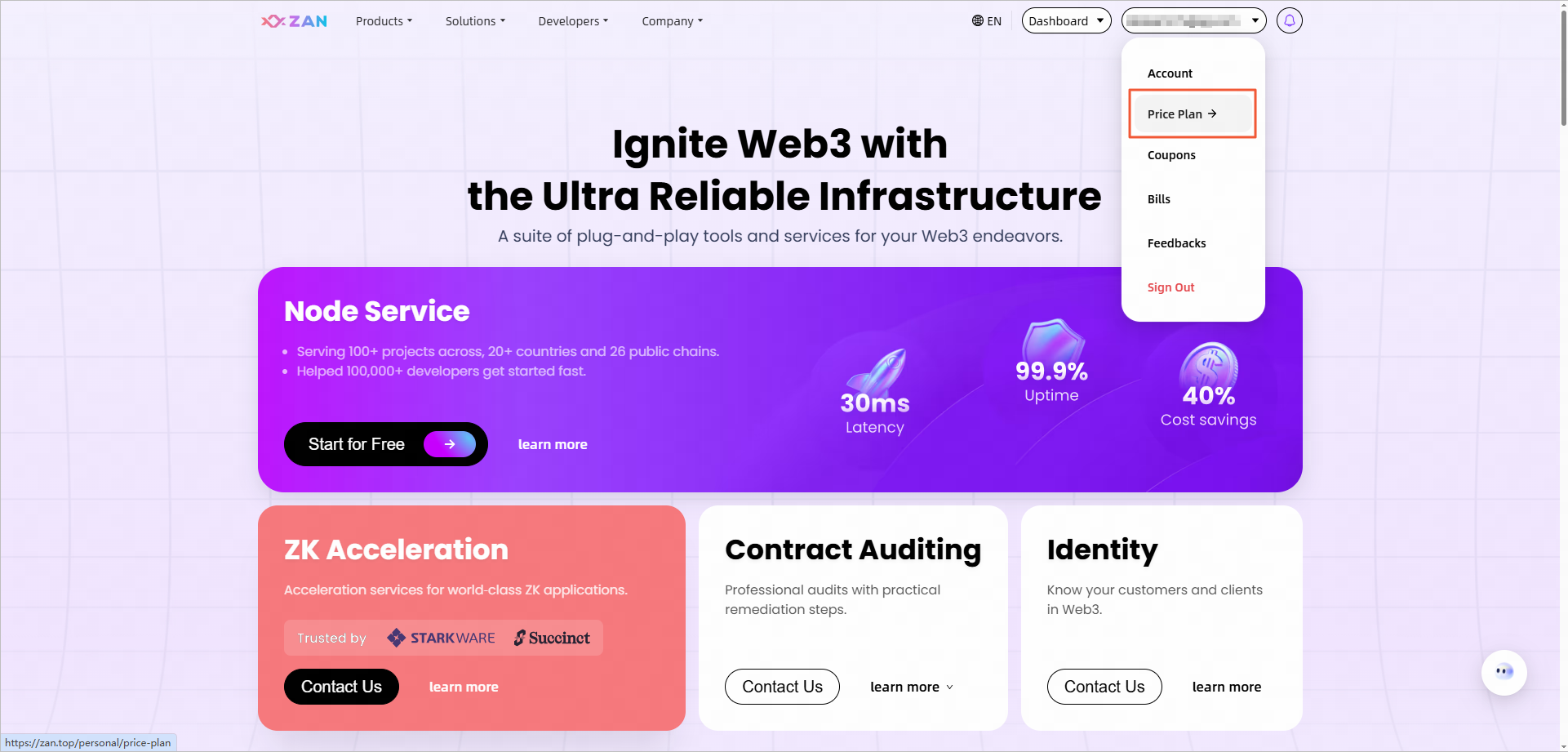
Top-right account → Price Plan.
-
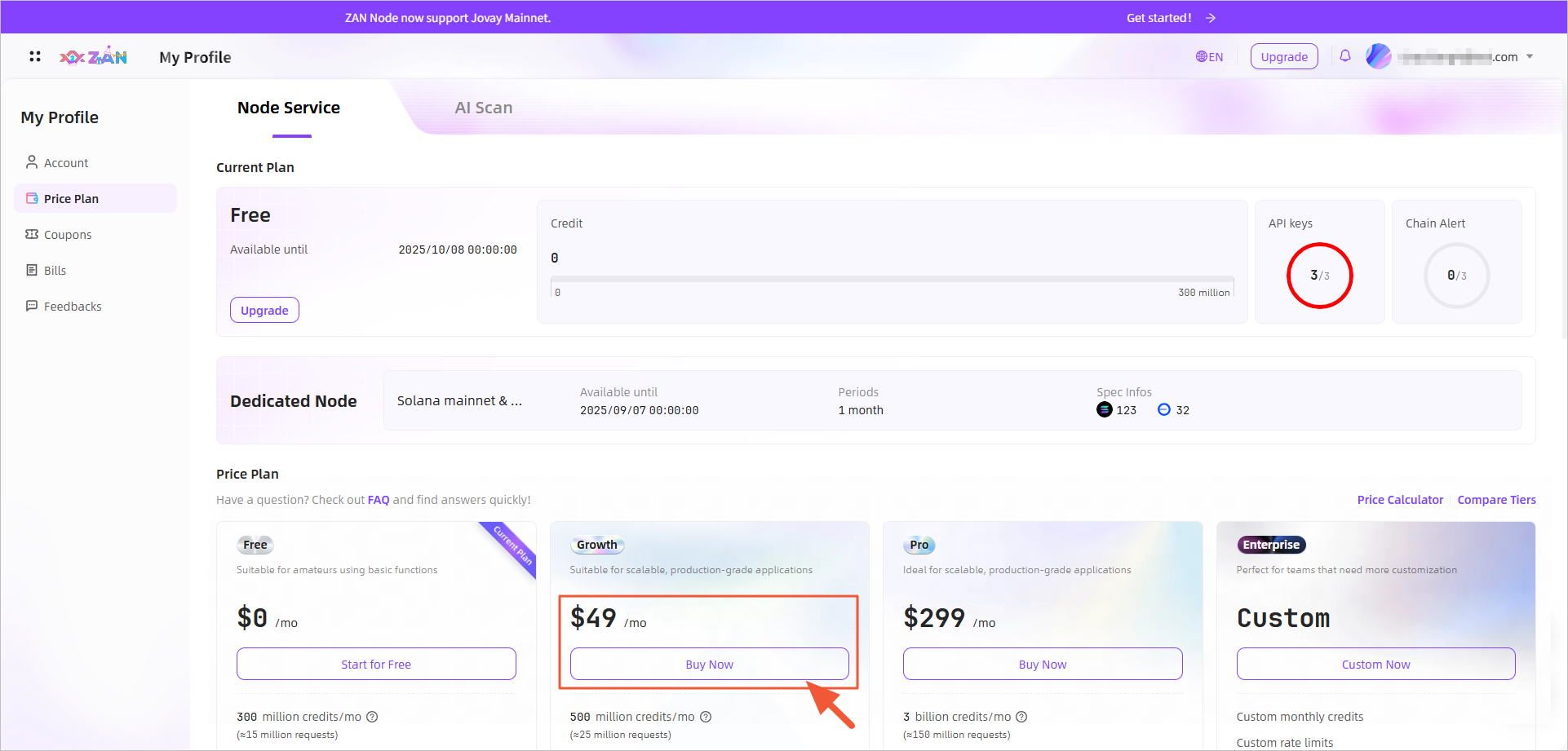
Select Growth or Pro card → Buy Now.
-
Complete purchase as Purchase plan guide.
For Enterprise
-
ZAN Node Service Console → Top-right account → Price Plan.
-
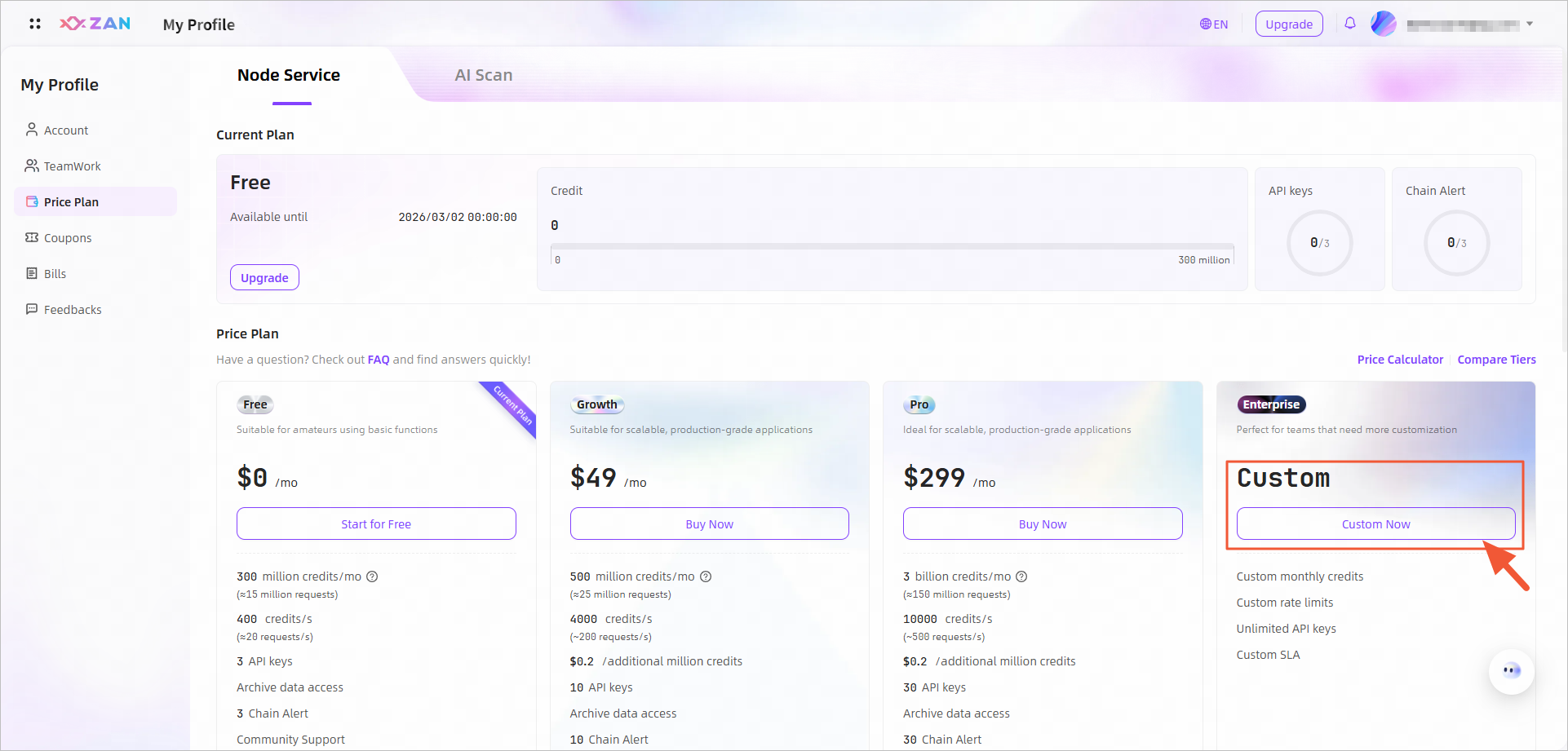
Enterprise card → Click Contact Us.
-
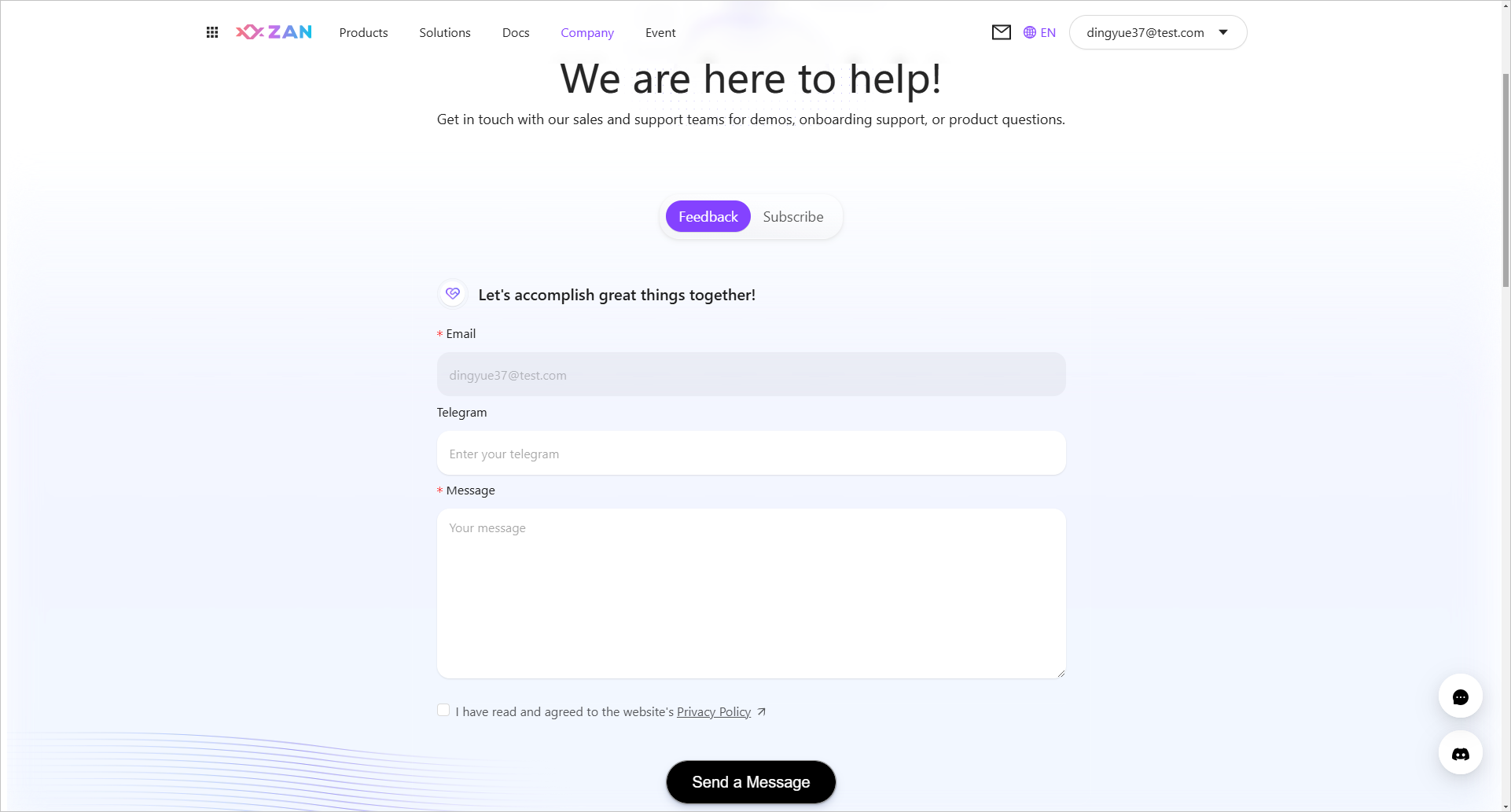
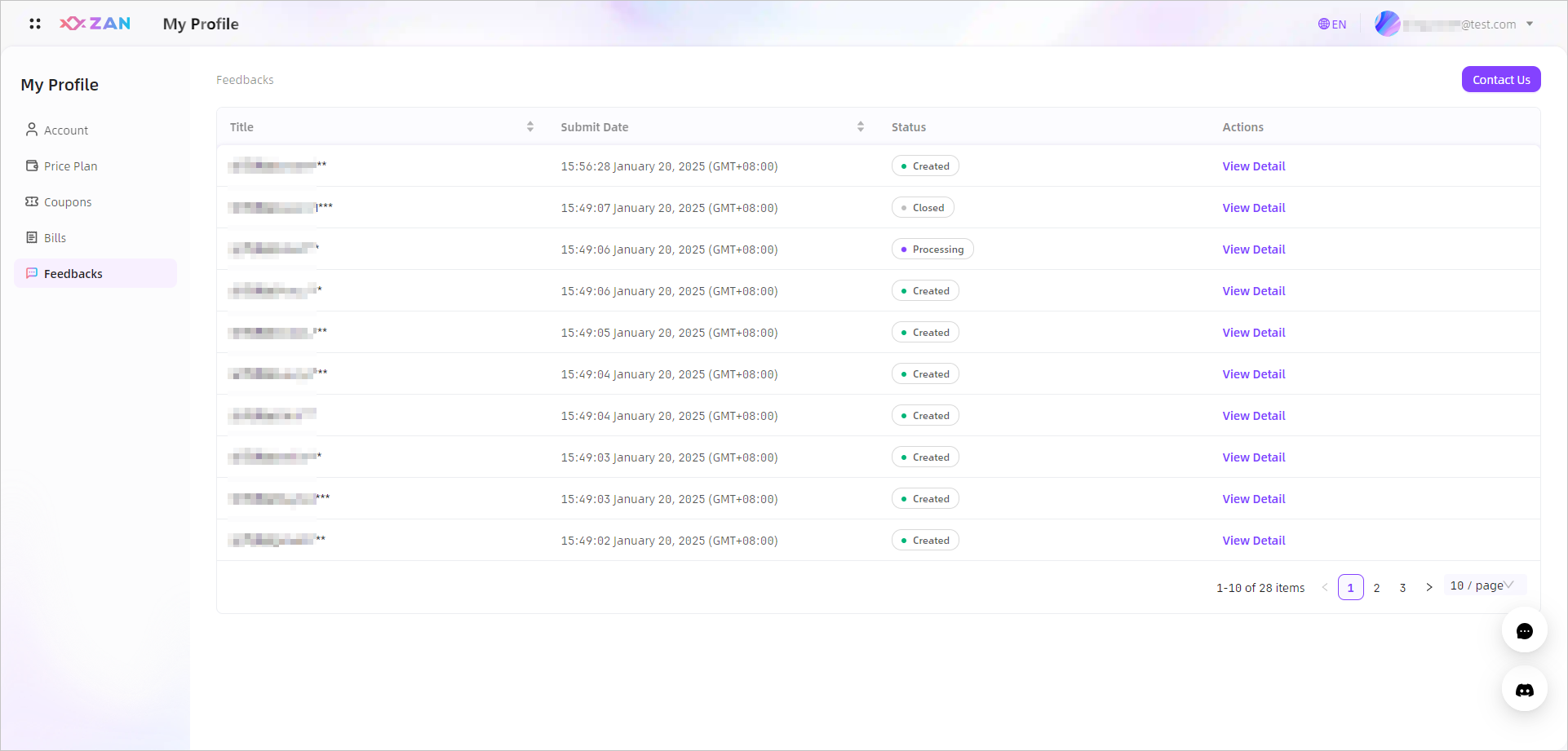
Feedback page → Enter requirements, check agreement → Send message.
-
After a successful application, click View Detail → Check the status.

 Note:
Note:After we receive your application, we will provide feedback as soon as possible and notify you by email. Please check your email regularly.
-
After deployment → Ordering Process for online confirmation.
Step 2: Test Connectivity
The process for obtaining and verifying the API key for the price plan is exactly the same as that for the free plan. Please refer to the following details:
Step 3: View Credits Cost
On the Overview page of the Node Service, you can view the specific credit usage details and monitor the remaining available credits for the price plan. Unlike the free plan, the price plan supports multiple purchases of credit packs.
Even without purchasing credit packs, you can ensure uninterrupted Node Service by enabling the Auto Scaling feature for overage.
-
Enable Auto Scaling
No need to purchase additional credit packs. If you exceed your limit for the month, the extra charges will be automatically billed and deducted from your subscribed credit card on the 5th day of the next month's cycle.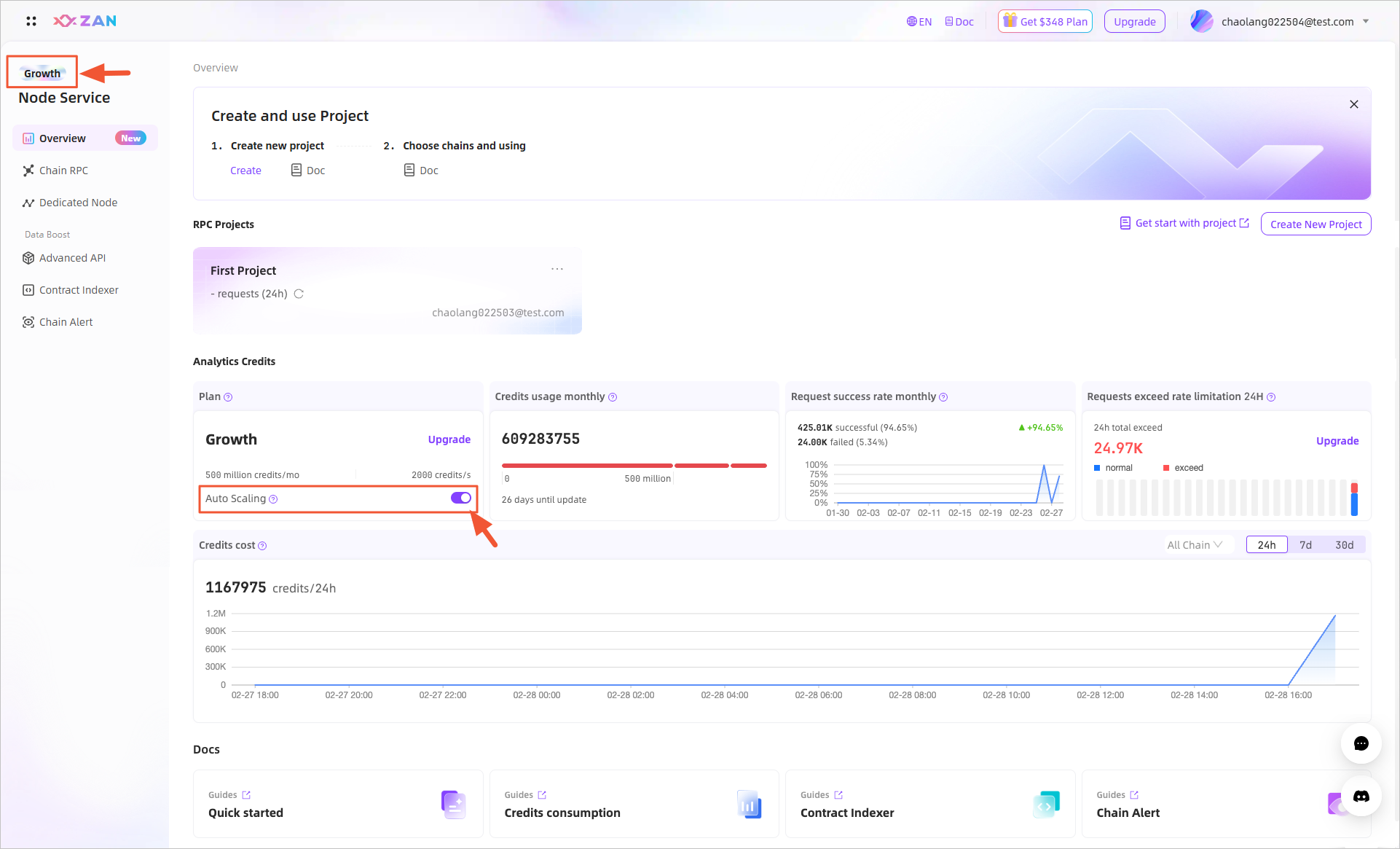 Note:
Note:Any excess costs will be charged at $0.2 per million credits.
-
Disable Auto Scaling
You can purchase additional credit packs manually. If your credits are depleted, the node service will be automatically suspended.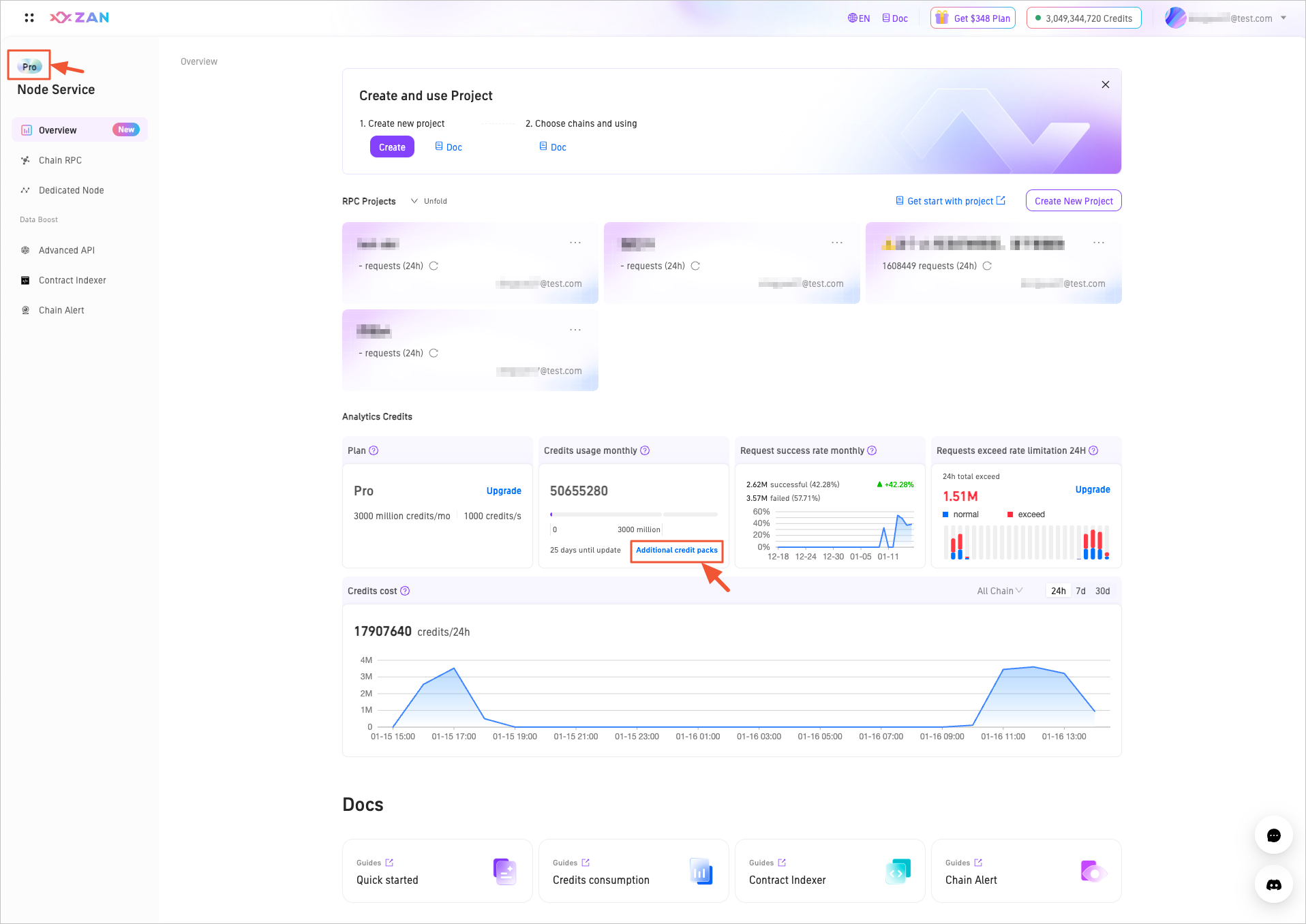
Next Steps
- Create Projects → Create multiple API keys to isolate applications and secure production.
- Security Settings → Project-level API key security control with whitelists, rate limits, and access restrictions
- Project-level Monitoring → Track Credit consumption, request volume, activity status, and request origins
- collaboration Settings → Member role permissions assignment for cross-project access isolation
- Enterprise Alerts → Custom alert rules for failed requests, failed transactions, and request limiting
Updated 6 months ago